


 zzzonedotnet
...due to Windows 10 being at end of life.
Naturally my first attempt wiped out my music collection and VDJ settings even though they were not on my operating system drive (long story).
Fortunately, I had backups of all my music.
Now I'm in Windows 11 and rescanning all my music files but I noticed something strange.
I have columns in the browser for Remix and Genre.
After a scan, only the remix is displayed.
If i select several tracks, and then say Reload Tags, the Remix is deleted and the Genre is displayed.
What the freak.
Any help is appreciated.
-UltraLiver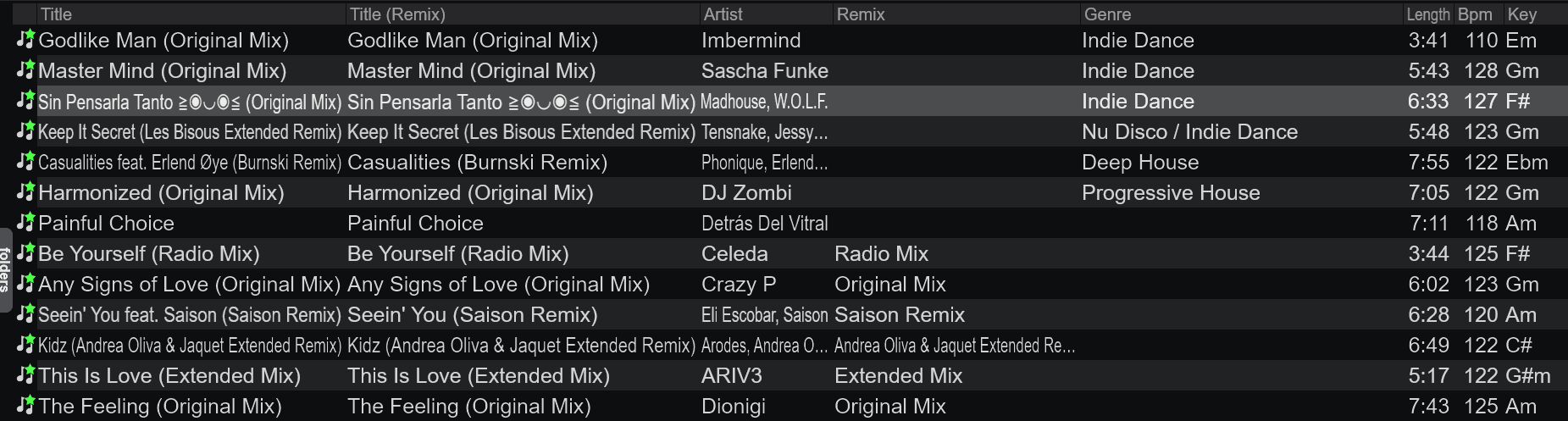
Naturally my first attempt wiped out my music collection and VDJ settings even though they were not on my operating system drive (long story).
Fortunately, I had backups of all my music.
Now I'm in Windows 11 and rescanning all my music files but I noticed something strange.
I have columns in the browser for Remix and Genre.
After a scan, only the remix is displayed.
If i select several tracks, and then say Reload Tags, the Remix is deleted and the Genre is displayed.
What the freak.
Any help is appreciated.
-UltraLiver
发表时间 Sun 30 Mar 25 @ 10:37 am
zzzonedotnet
I figured it out myself. It only took a year. I do not let things drop.
To get the genre and label tags that I wanted, I had to select the files, right click and select Batch > Reload tags.
I also found out how to get the "remix" field populated but it's a bit unnecessary as the remix is usually appended to the title tag.
And the process is different for FLAC and MP3 files.
If anyone is interested, let me know here.
To get the genre and label tags that I wanted, I had to select the files, right click and select Batch > Reload tags.
I also found out how to get the "remix" field populated but it's a bit unnecessary as the remix is usually appended to the title tag.
And the process is different for FLAC and MP3 files.
If anyone is interested, let me know here.
发表时间 Thu 09 Jul 26 @ 2:16 pm