


APC40 MKII
Setup
Step 1. Connections
Connect the APC40 MKII to a USB port of your computer using the provided USB cable and power on the unit from the rear-panel switch.
Step 2. Drivers
No drivers is required to be installed. The APC40 MKII is a USB class compliant device and your Operating System will install the necessary drivers.
Step 3. VirtualDJ
Start VirtualDJ and login with your Account credentials. A Pro Infinity or a Pro Subscription License is required. https://virtualdj.com/buy/
Detection Window
A detection window will appear when the unit is first connected with VirtualDJ, verifying proper connection.
Click to OK
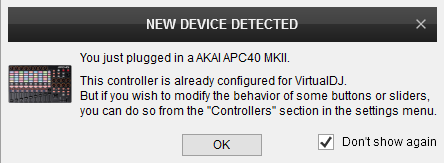
The unit is now ready to operate with VirtualDJ