


 BootyMover
While using the Combat skin in 4 deck mode, how do you "eject" the track off of a deck? On other skins, I would simple right click and hold down the "Stop" button for 2 seconds and it's gone. Thanks in advance for your help.
发表时间 Sun 10 Apr 16 @ 3:54 am
 groovindj
The actions are skin specific, so if a skin author doesn't add it, the function is not there.
You'd need to modify the skin XML (or add the action to a custom button).
The stop button in Combat has an action of "stop_button". The default VDJ 8 skin has an additional action rightclick="holding 500ms ? unload : goto_first_beat".
The important action is unload which you could simply add to a custom button for each deck.
You'd need to modify the skin XML (or add the action to a custom button).
The stop button in Combat has an action of "stop_button". The default VDJ 8 skin has an additional action rightclick="holding 500ms ? unload : goto_first_beat".
The important action is unload which you could simply add to a custom button for each deck.
发表时间 Sun 10 Apr 16 @ 10:58 am
BootyMover
groovindj wrote :
The actions are skin specific, so if a skin author doesn't add it, the function is not there.
You'd need to modify the skin XML (or add the action to a custom button).
The stop button in Combat has an action of "stop_button". The default VDJ 8 skin has an additional action rightclick="holding 500ms ? unload : goto_first_beat".
The important action is unload which you could simply add to a custom button for each deck.
You'd need to modify the skin XML (or add the action to a custom button).
The stop button in Combat has an action of "stop_button". The default VDJ 8 skin has an additional action rightclick="holding 500ms ? unload : goto_first_beat".
The important action is unload which you could simply add to a custom button for each deck.
groovindj - Thank you very much! It worked just great!
发表时间 Tue 19 Apr 16 @ 9:13 pm
 kimbotec
Hi, I have been using a custom VDJ skin created for me under specific ways of function as I use it for broadcasting. The problem it cannot update (custom). I've just discovered Combat skin (dark) and being similar to the way I work I would love to use it if it was possible to have the working part of the skin larger on first opening the skin. The reason is I use it with OBS to the right and I have a lot of browser and hardly any working machine. Can anybody help please as in is it possible to do and how? Thank you. Kim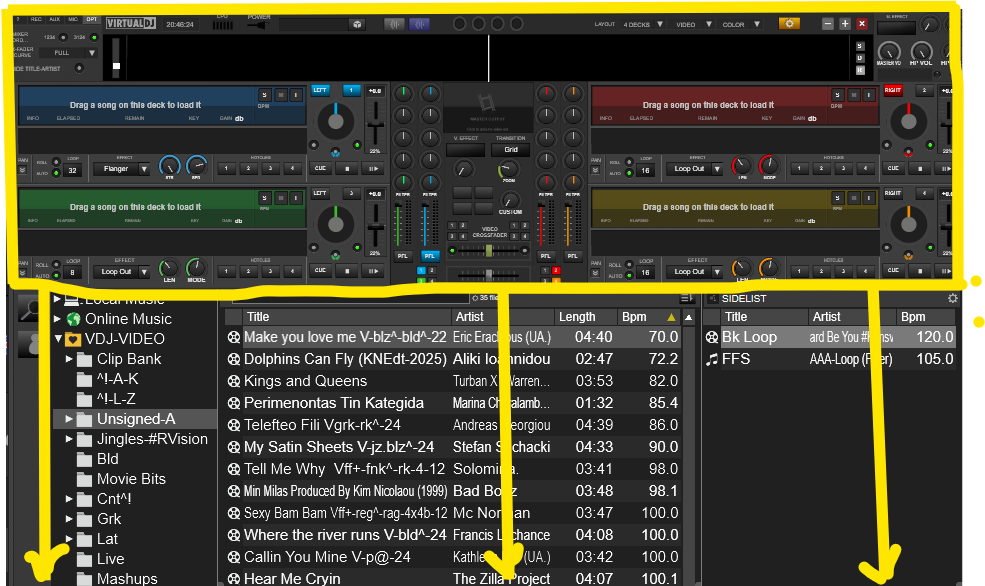
发表时间 11 hours ago